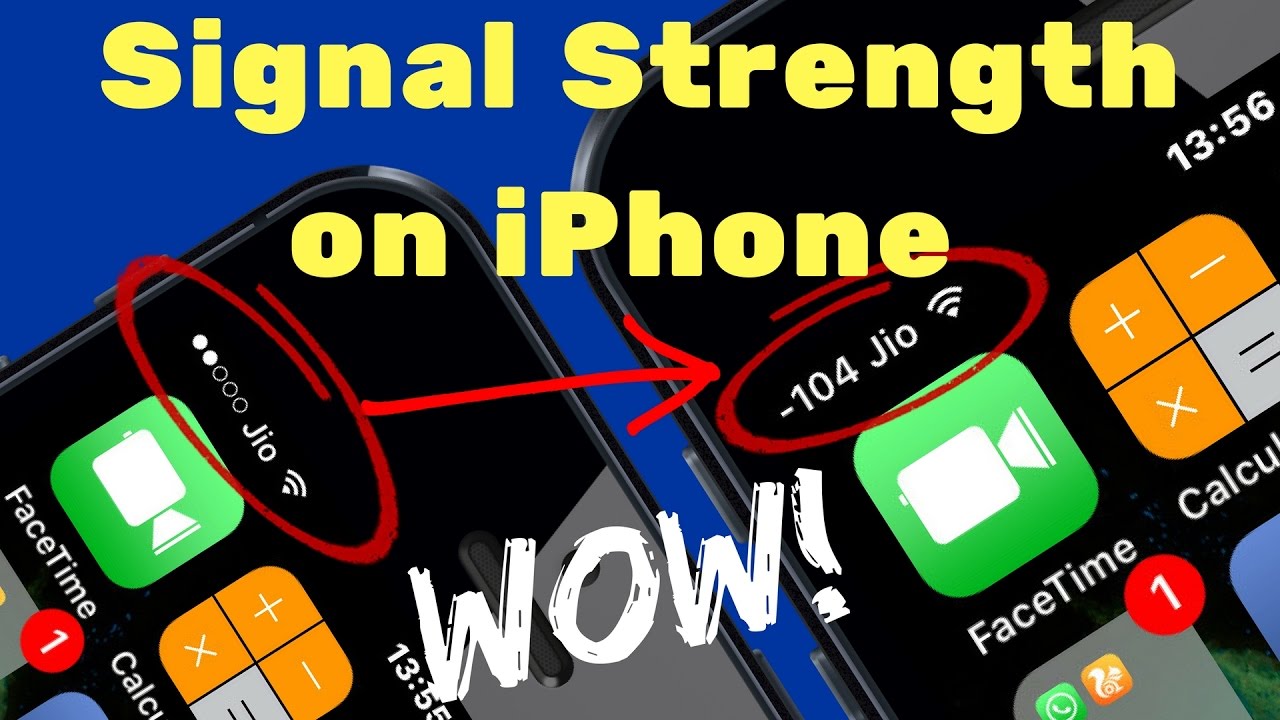
How to Change Signal Strength Bar on iPhone to Numbers!
Hey there, iPhone users! Are you tired of guessing your network strength just by looking at those tiny bars on your screen? What if I told you that you can easily switch to a numeric representation of your signal strength? Yes, you heard that right! In this quick guide, I’m going to show you how to change those bars into numbers, giving you a much clearer idea of your connectivity. Let's dive in!
Why Switch to Numeric Signal Strength?
Before we get into the nitty-gritty of the process, let’s talk about why you might want to make this change. The signal strength bars on your iPhone can sometimes be misleading. You might see four bars and think you’re good to go, but the actual signal could be weak! By switching to numbers, you get a precise reading, usually in decibels (dBm), which can help you troubleshoot connectivity issues much easier.
Steps to Change Signal Strength to Numbers
Ready to get started? Follow these simple steps:
- Open the Phone app on your iPhone.
- Dial *3001#12345#* and hit the call button.
- This will take you to the Field Test Mode.
- Look for the LTE or UMTS option depending on your network.
- Once you find it, you should see the signal strength in numbers!
If you want to exit Field Test Mode, just press the home button or swipe up, and you’re back to your regular screen. Simple, right?
Understanding the Numbers
Now that you have the numbers displayed, it’s essential to know what those values mean. Here’s a quick guide:
- -50 dBm: Excellent signal strength.
- -60 dBm: Good signal strength.
- -70 dBm: Fair signal strength. You might start experiencing some issues.
- -80 dBm: Poor signal strength. Calls may drop.
- -90 dBm: Very weak signal. You may be unable to make calls.
So, keep an eye on those numbers! They can help you decide whether to stay put or move around to find a better signal.
Pros and Cons of Using Numeric Signal Strength
Like everything in life, switching to numeric signal strength has its pros and cons:
Pros:
- More accurate representation of your signal strength.
- Helps in troubleshooting network issues effectively.
- Gives you insights into your network performance.
Cons:
- May be confusing for users who prefer visual representation.
- Not all iPhone models support this feature fully.
Conclusion: Should You Make the Switch?
In my honest opinion, switching from signal bars to numeric readings is a game-changer, especially if you rely heavily on your iPhone for calls or internet access. With the knowledge of what those numbers mean, you can make informed decisions about your network usage.
So, go ahead and give this a try! If you have any questions or run into issues, drop a comment below or reach out to us on social media. Don't forget to share this article with your friends who might find it helpful!
Until next time, happy connecting!
For more tech tips, subscribe to our channel here and follow us on:
Stay tuned for more amazing tech tips!
![[HINDI] JIO New Postpaid Plans Explained!](https://img.youtube.com/vi/lZF5h7oxKjw/maxresdefault.jpg)